Prove it — to the client, the auditor, the regulator.
Patrols, inspections, incidents and book-ons all captured with photo, GPS and timestamp. Industry-standard forms, a real review workflow, and a record that stands up when someone asks the hard question.
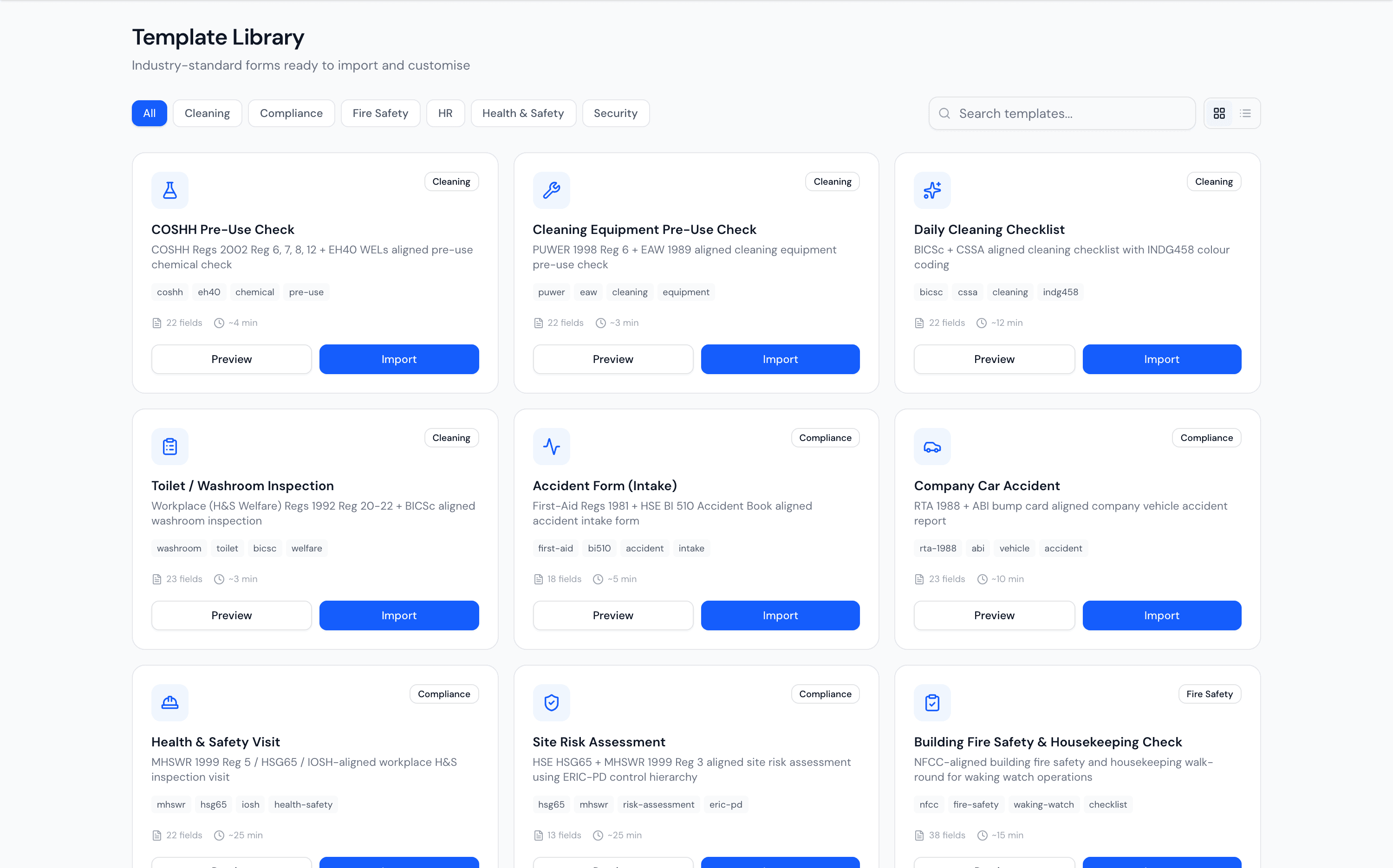
Industry-standard forms, ready to import.
Don't build compliance from scratch. Import vetted templates aligned to the actual regulations — COSHH pre-use checks, HSE risk assessments, RIDDOR reports, BICSc cleaning checklists — and customise from there.
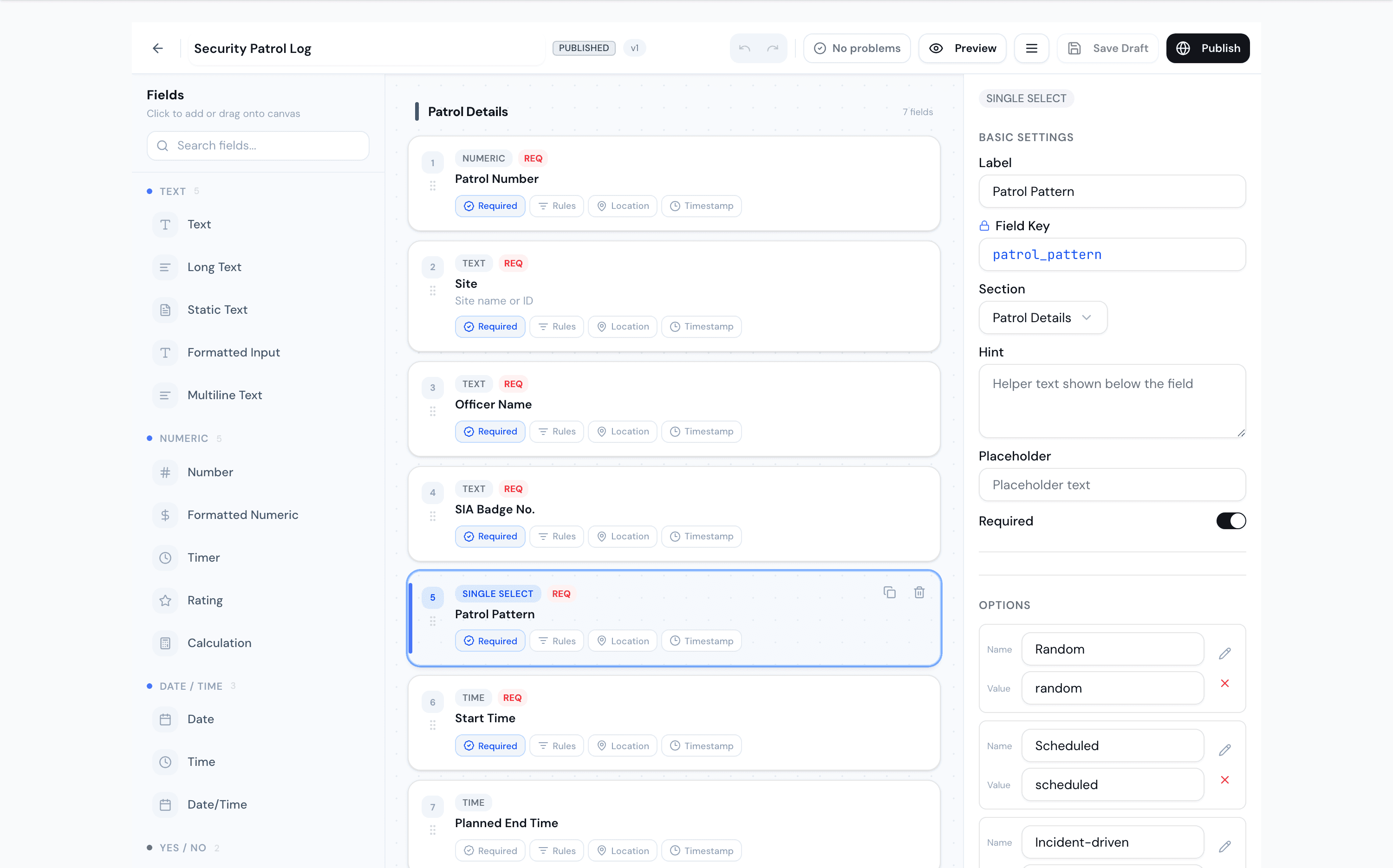
Evidence-grade fields, deployed to the right site.
Drag together photo points, ratings, calculations and signatures. Require GPS and timestamps on every photo, set quality and overlays, then deploy to a site or trigger off a shift — versioned, with expiry control.
A real review workflow, not a folder of PDFs.
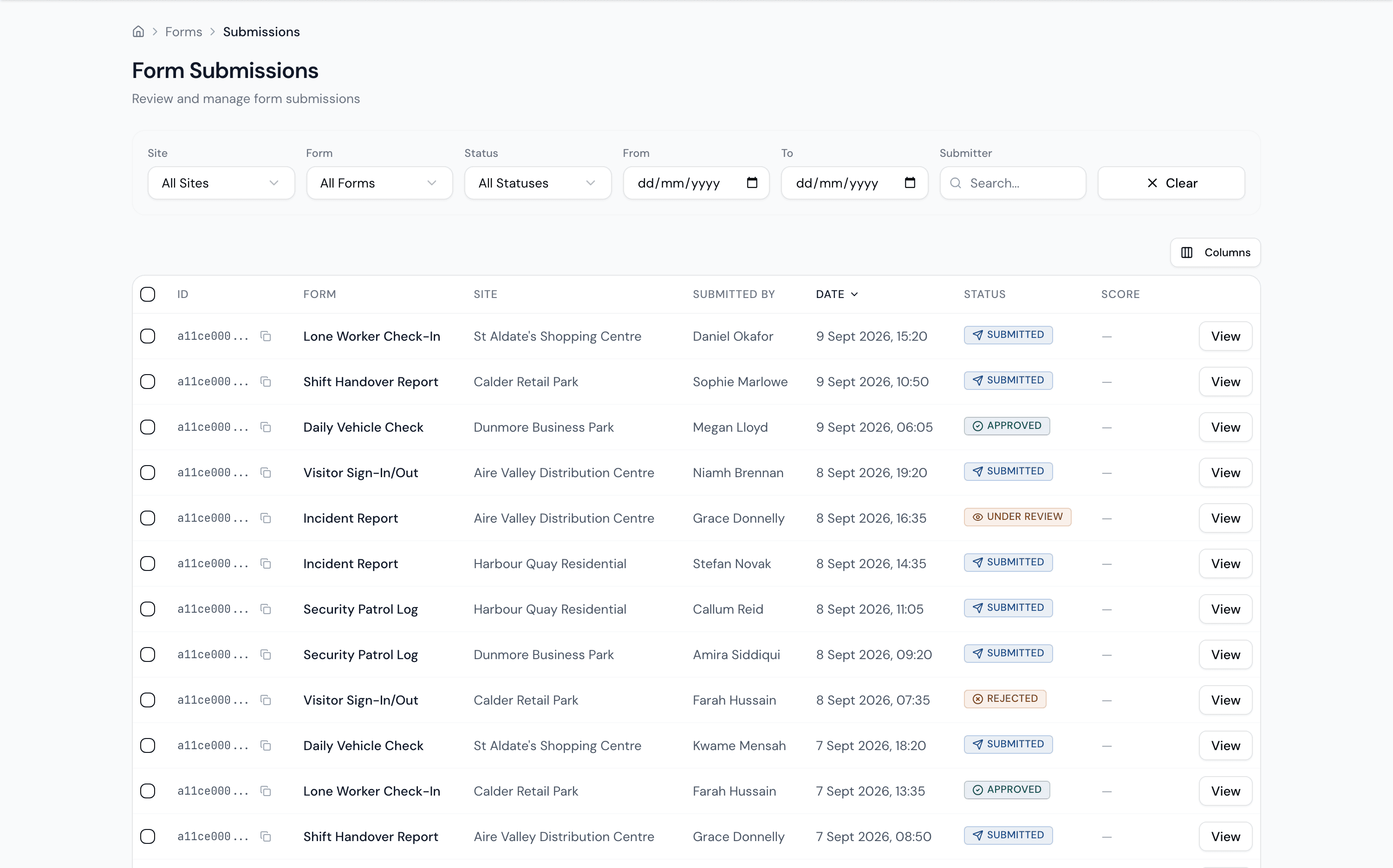
Every submission lands with its site, submitter and timestamp. Start a review, add notes, approve or reject — and the decision joins the form's own audit trail. Volume, completion and status, all reported.
- 01Submitted
It lands
With its site, submitter, timestamp, photos and GPS, the moment it is sent.
- 02Under Review
Someone reviews it
Start a review and add notes, so you can show the client who looked and when.
- 03Approved
A decision, on the record
Approve or reject; the decision joins the form’s own audit trail.
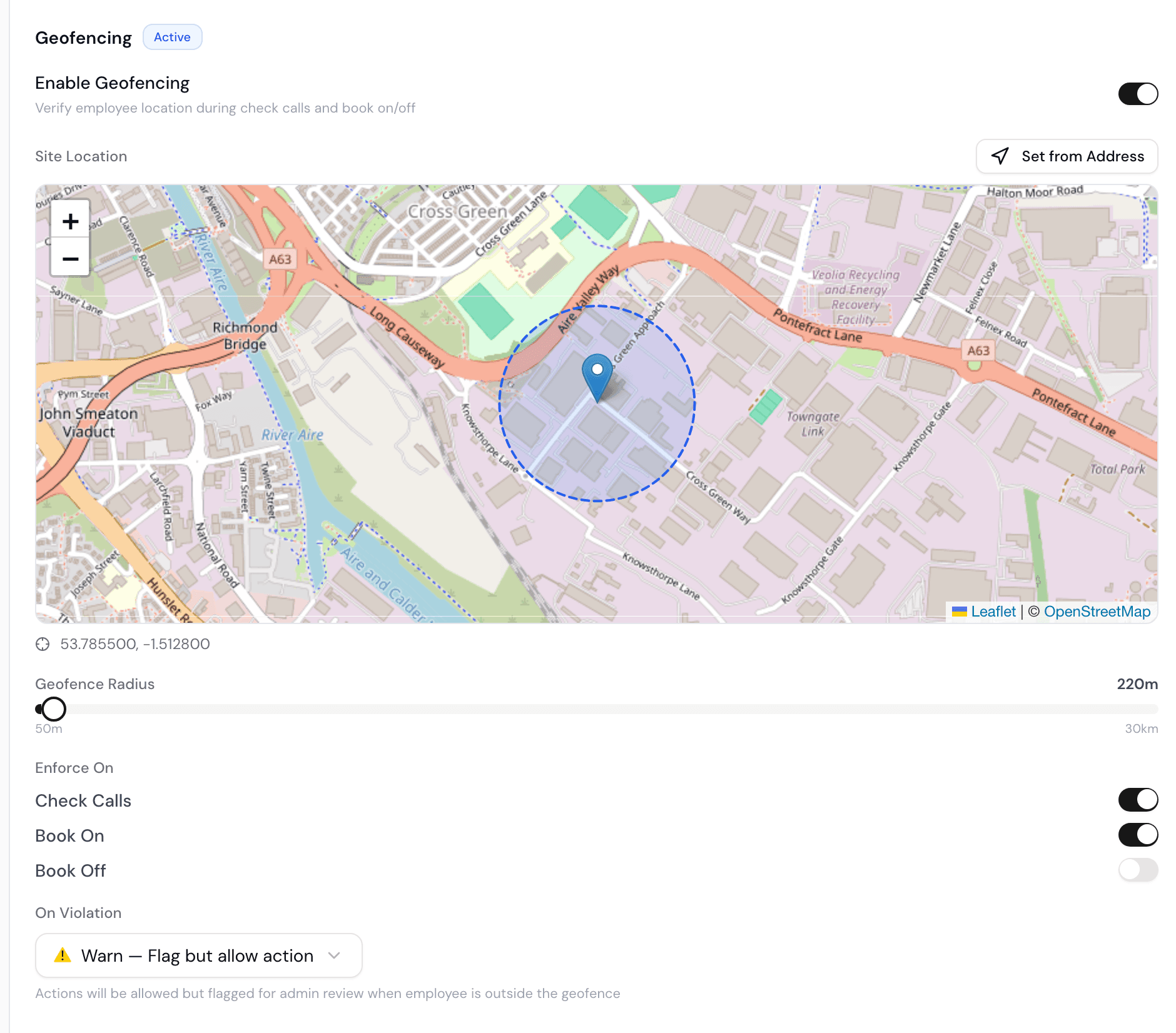
Book on where the shift actually is.
Draw a geofence around each site and enforce it on check calls, book-on and book-off. Set the violation action — warn or block — so the hours you pay and charge are the hours genuinely worked on site.
Welfare calls on your terms, verified.
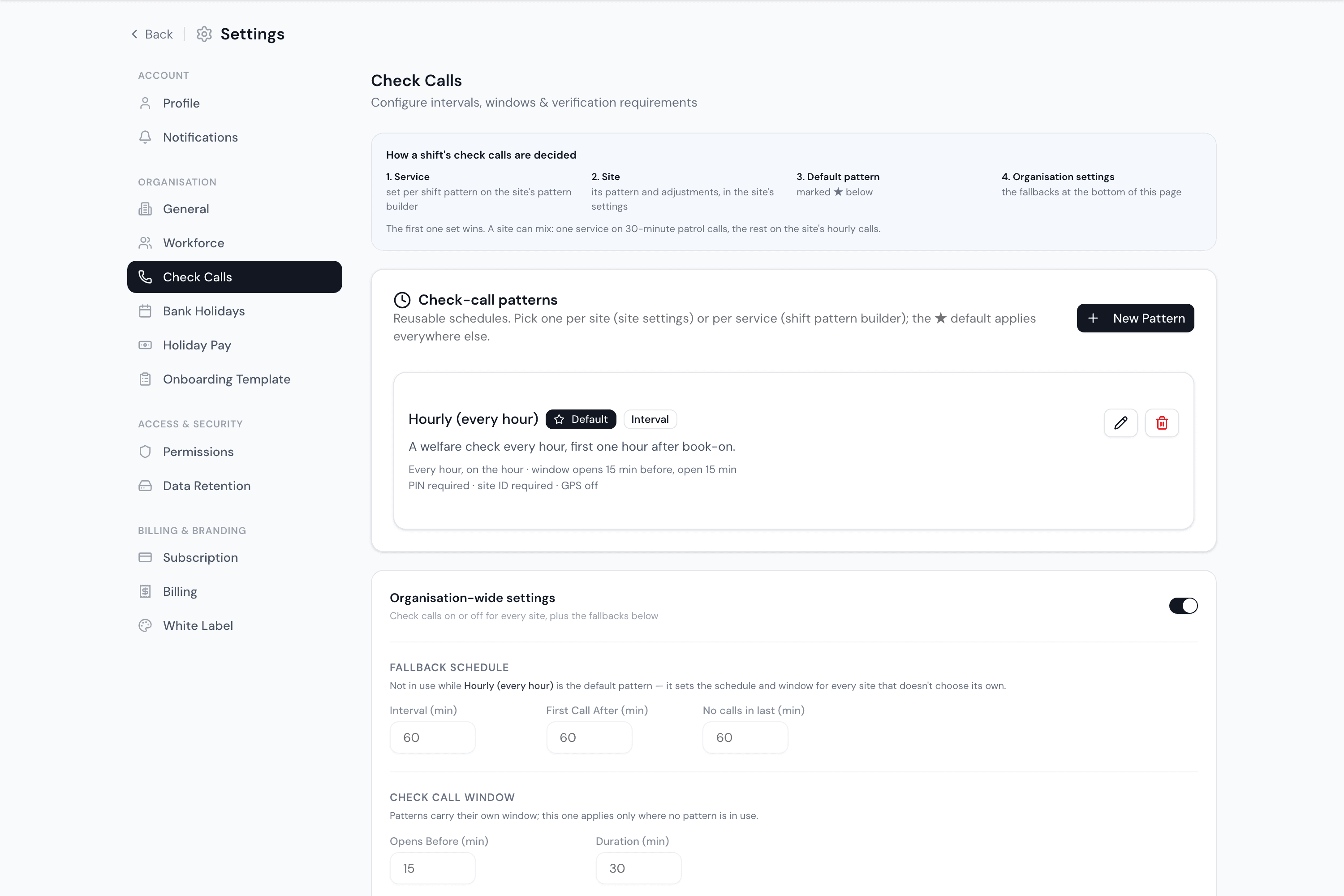
Set the pattern — hourly or your own interval — with a check-call window that opens early and closes on time. Then choose what proves it: a personal PIN, the site ID, GPS location, or all three. Lone workers stay accounted for, and every call is on the record.
- 00:00window 23:45–00:15Made: PIN and site ID
- 04:00window 03:45–04:15Missed: escalated to control
No call at 20:00 or 08:00: none comes in the first or last 60 minutes of a shift.