Your forms. Your fields. Your rules.
Build any form with a drag-and-drop editor, start from an industry template, and deploy it to the exact sites that need it. Control precisely what field staff can submit — camera or gallery, GPS-tagged, evidence-grade — then export every record as a PDF branded in your colours.
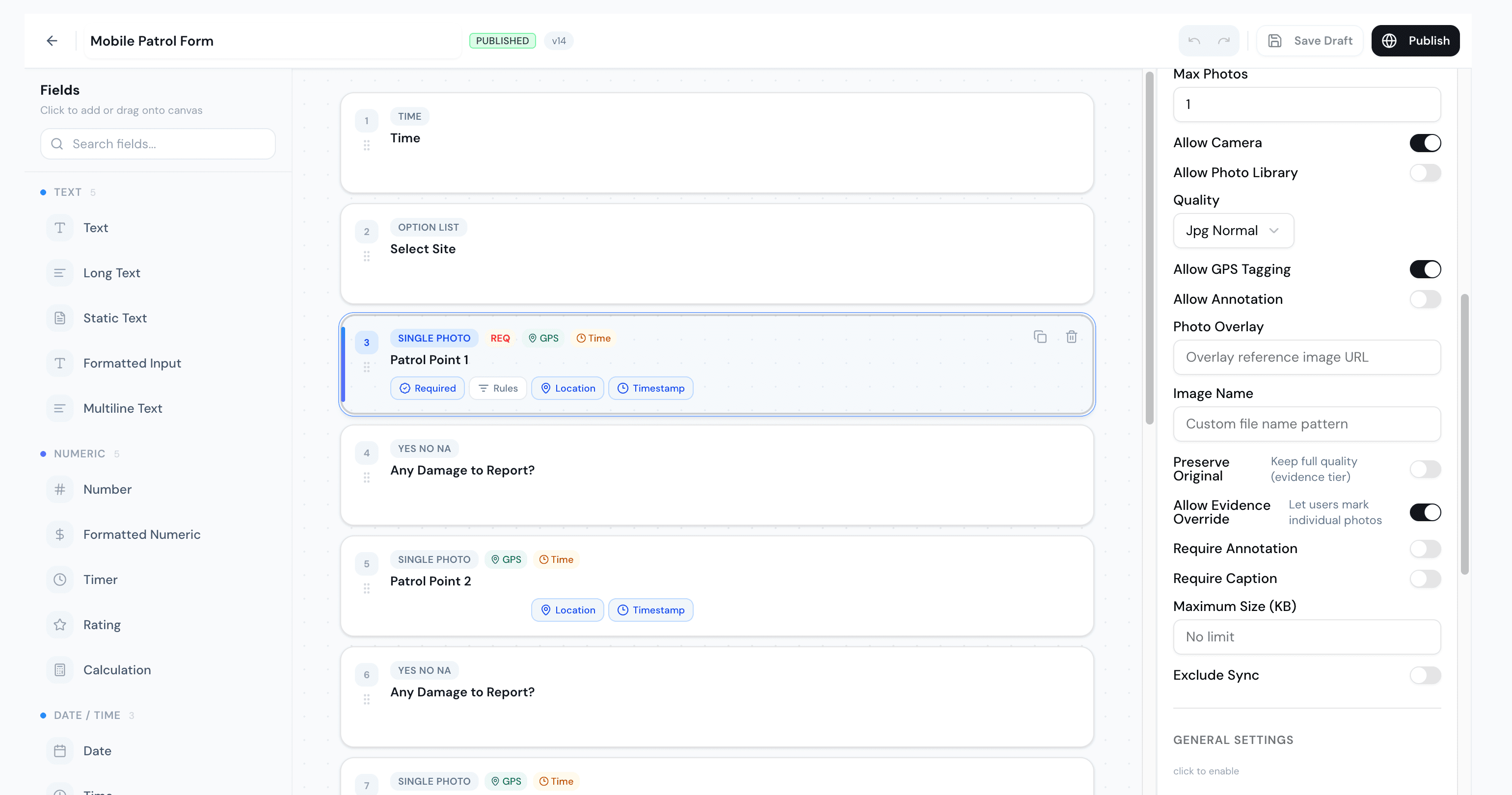
Drag a field. Drop it in. Done.
Text, numbers, ratings, calculations, dates, times, option lists and photo points — drag any field onto the canvas and reorder it freely. Make a field required, attach logic rules, and pin it to a location and timestamp. Publish a new version whenever you like; deployments can track the latest automatically.
A field for everything you capture.
30+ field typesFull control over what gets submitted.
For every photo field, decide exactly how evidence is captured. Force the live camera and block the gallery so photos can't be uploaded after the fact. Require GPS tags and timestamps. Set quality, cap the count, demand a caption or annotation, or keep the full-resolution original for an evidence tier.
Show the right field at the right moment.
Drive a form's behaviour from its own answers. Mark damage as “yes” and the photo and notes appear; mark it “no” and they stay hidden. Each rule fires show, hide, require or skip on any field or section — with an optional opposite branch when the condition is false. Forms stay short, relevant, and almost impossible to fill in wrong.
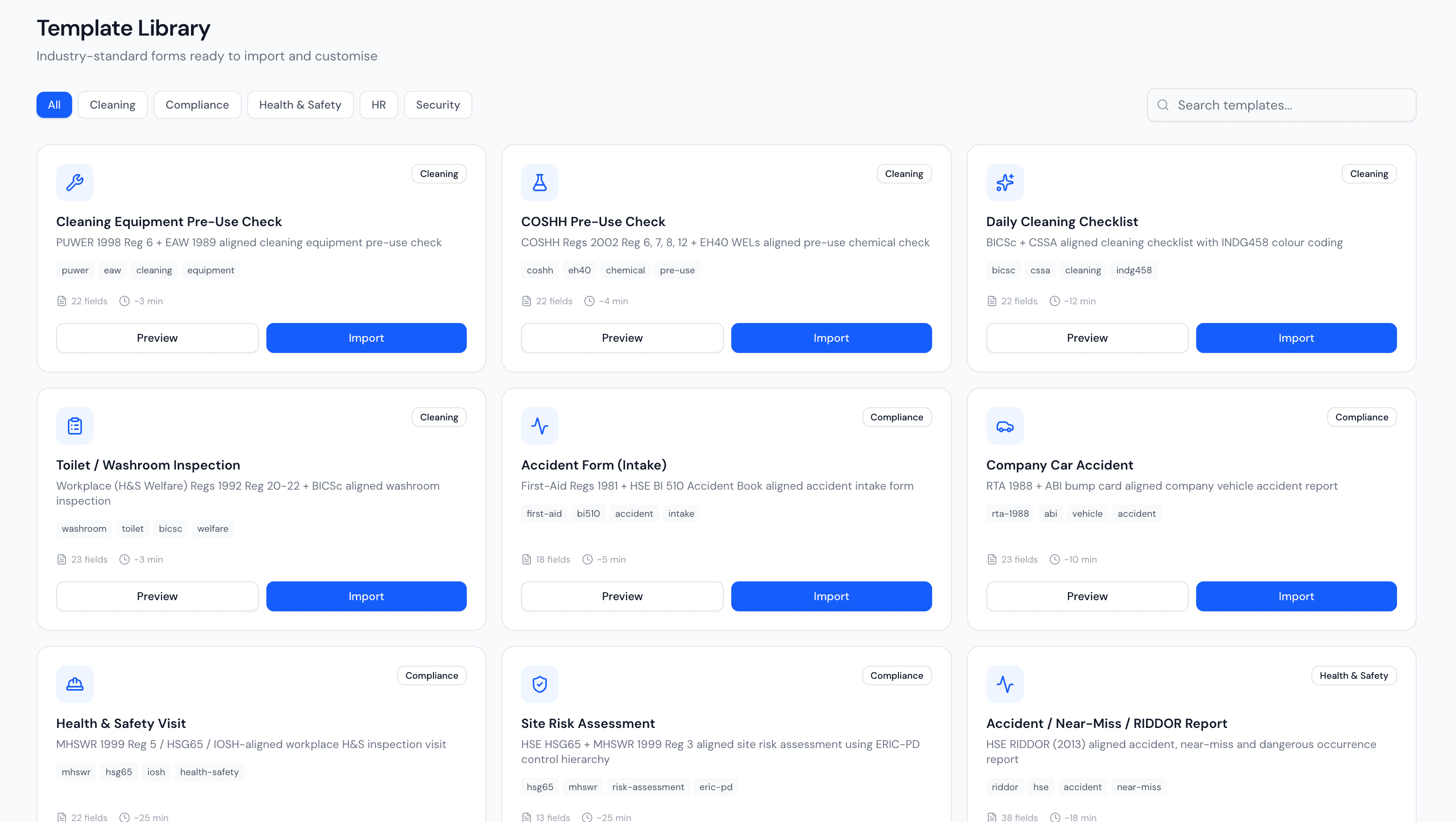
Start from a template, make it yours.
Don't start from a blank page. Import industry-standard forms aligned to real regulations — COSHH, PUWER, HSE risk assessments, RIDDOR, BICSc cleaning checks — then drag, rename and re-rule them until they match exactly how your teams work.
Deploy a form to the sites that need it.
Publish a form to a specific site, and only the staff working there see it on their app — no clutter, no wrong forms at the wrong location. Track the latest version automatically, or pin one. Set an expiry so seasonal or audit forms retire themselves.
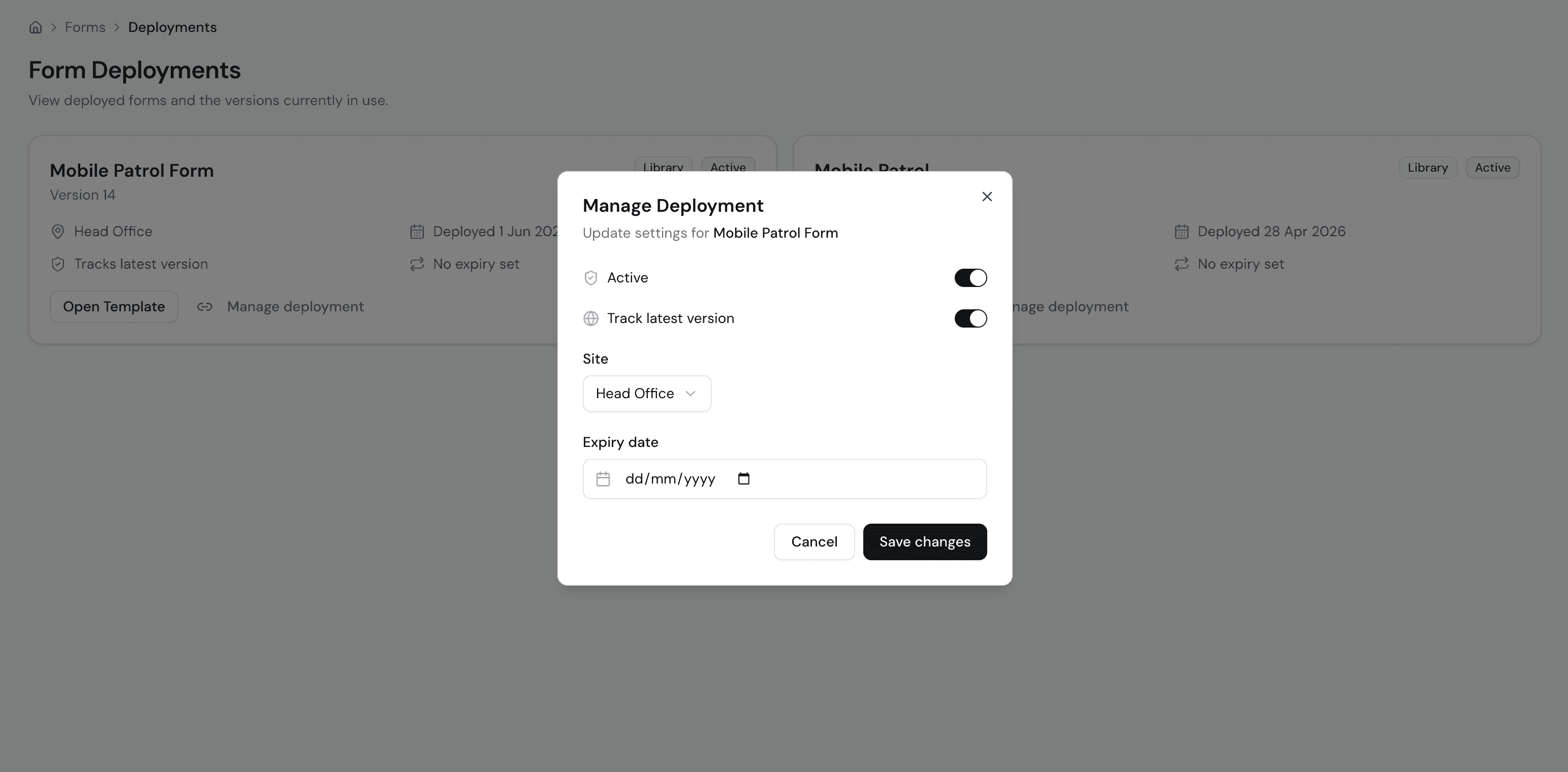

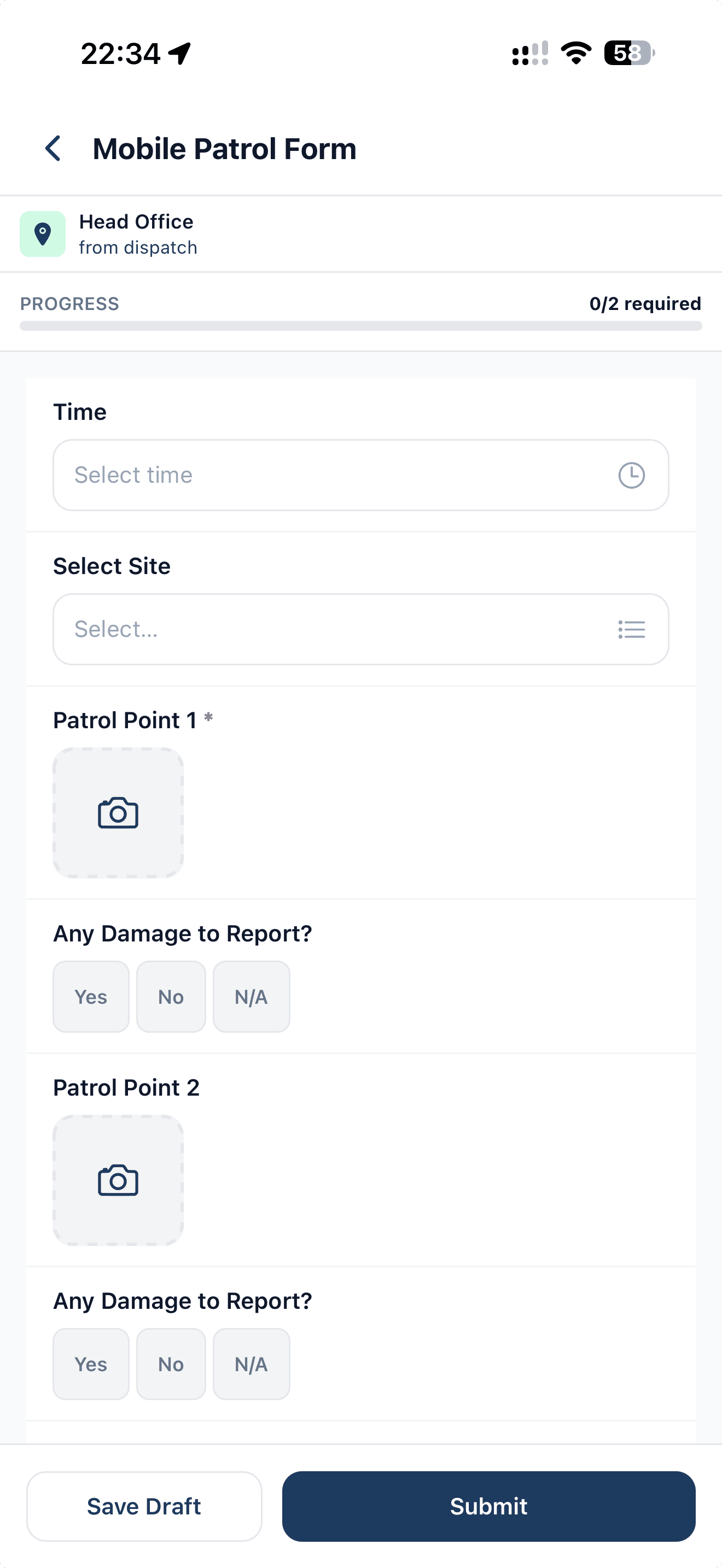
Effortless on the phone, even offline.
Staff see only the forms deployed to their site, with a clear required-field count and progress bar. Photos open the camera with GPS and time captured automatically. Patchy signal? They save a draft and it syncs when they're back online.
Review, sign off, and export in your brand.
Every submission lands with its photos, GPS, submitter and a full audit trail. Start a review, add notes, approve or reject. Then export a clean PDF — branded in your organisation's colours and logo — ready to send straight to the client.
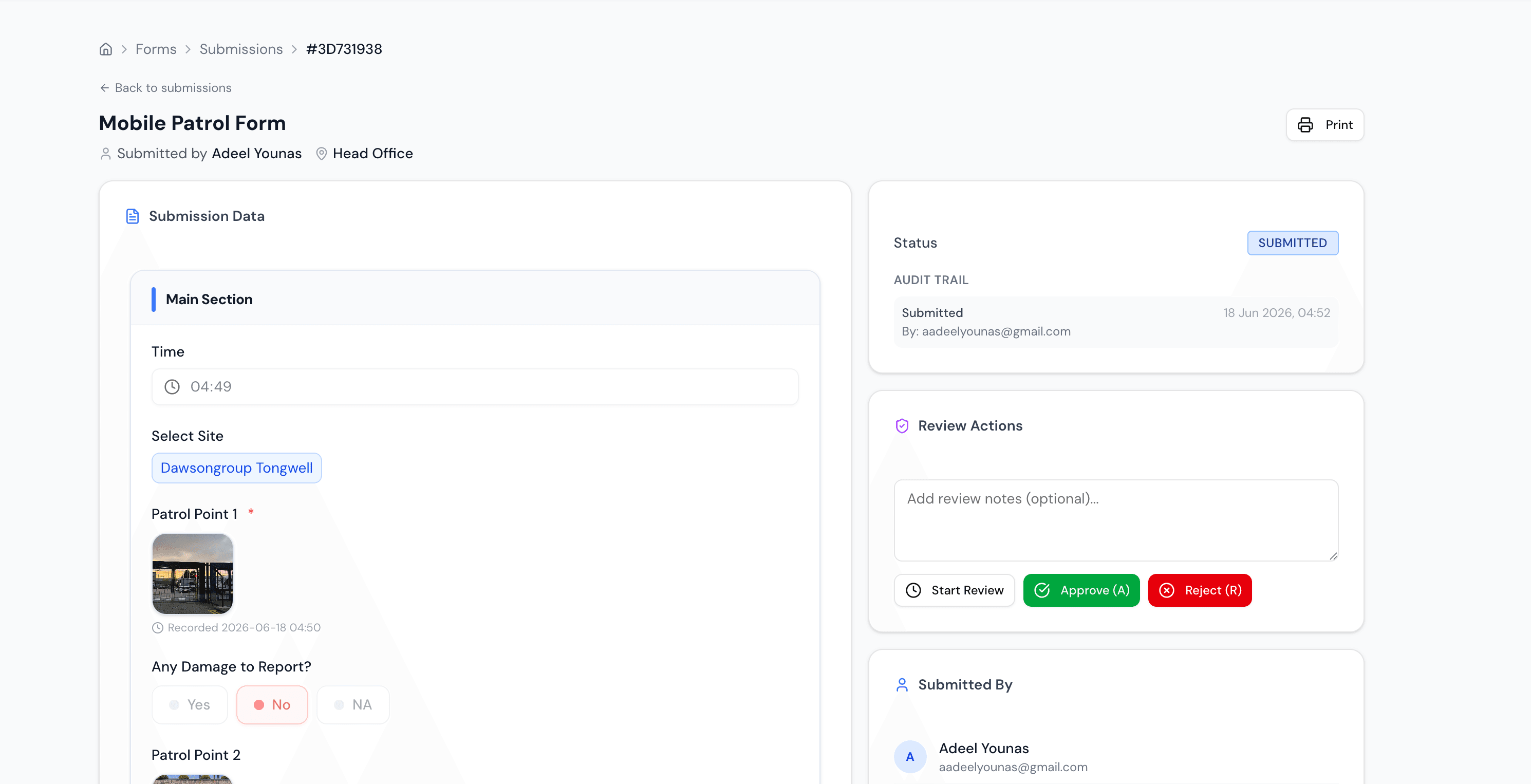
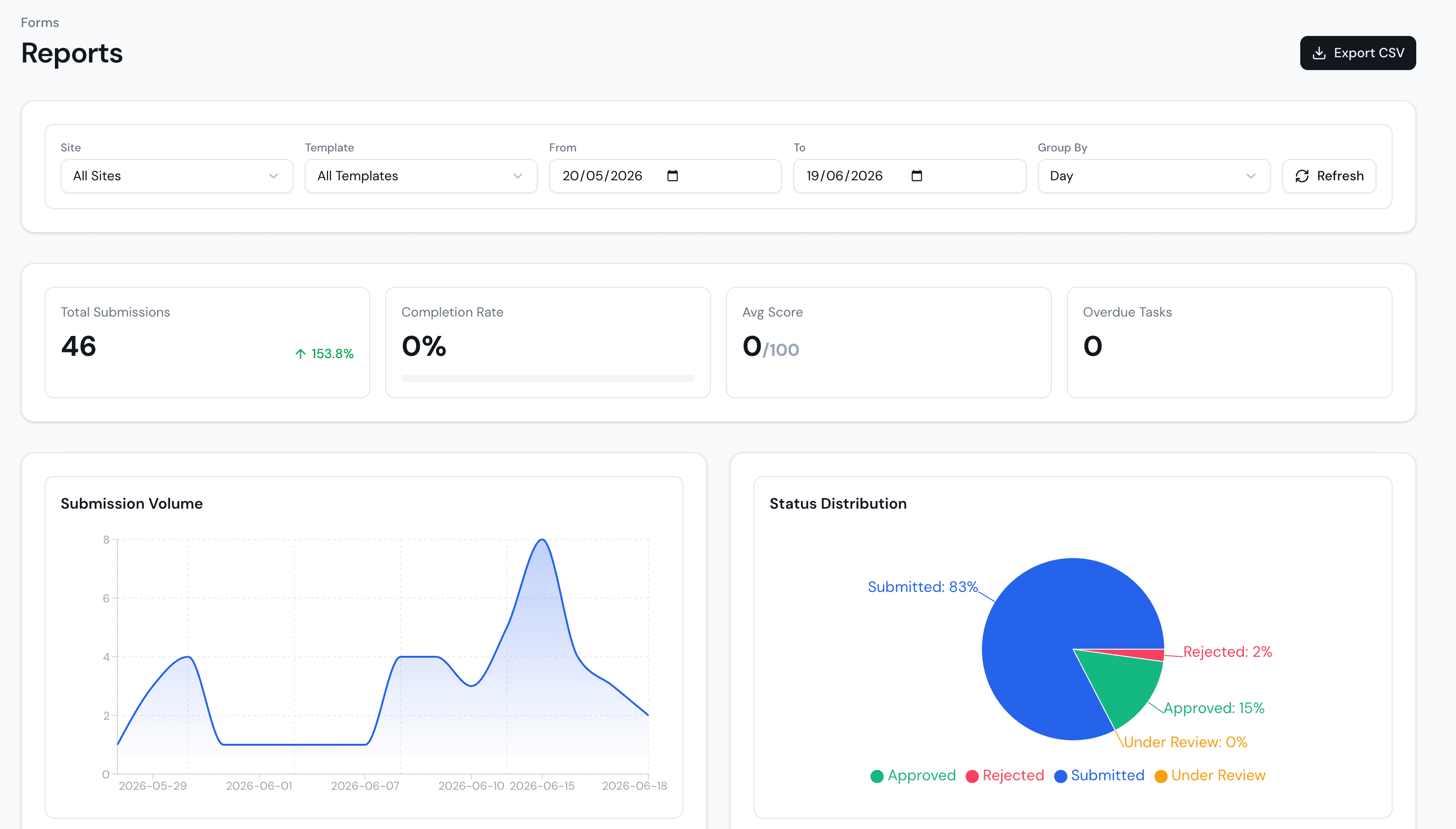
Know what's getting done, and what isn't.
Submission volume, completion rate, average score and status breakdown across every site and template — filtered by date, grouped how you like, exported to CSV. The proof that the work is happening, in numbers.