Add and manage officers
People → Officers is your agency's staff: the list, Add Officer, and each officer's profile. Adding an officer emails them an invitation to set up their login, and gives them a check-call PIN. Until they accept it they cannot be proposed for a shift. Officers are never deleted, only deactivated, which stops them signing in and being proposed. There is no limit on how many officers you can hold.
Who can do this?
Agency Admins and Agency Coordinators, for their own agency's officers — adding, editing, inviting, re-issuing PINs and deactivating.
What is on the Officers list?
People → Officers opens Personnel Management — Manage security officers with UK compliance tracking. The Officers tab lists them; Compliance rolls up their documents — see Keep officers' compliance documents.
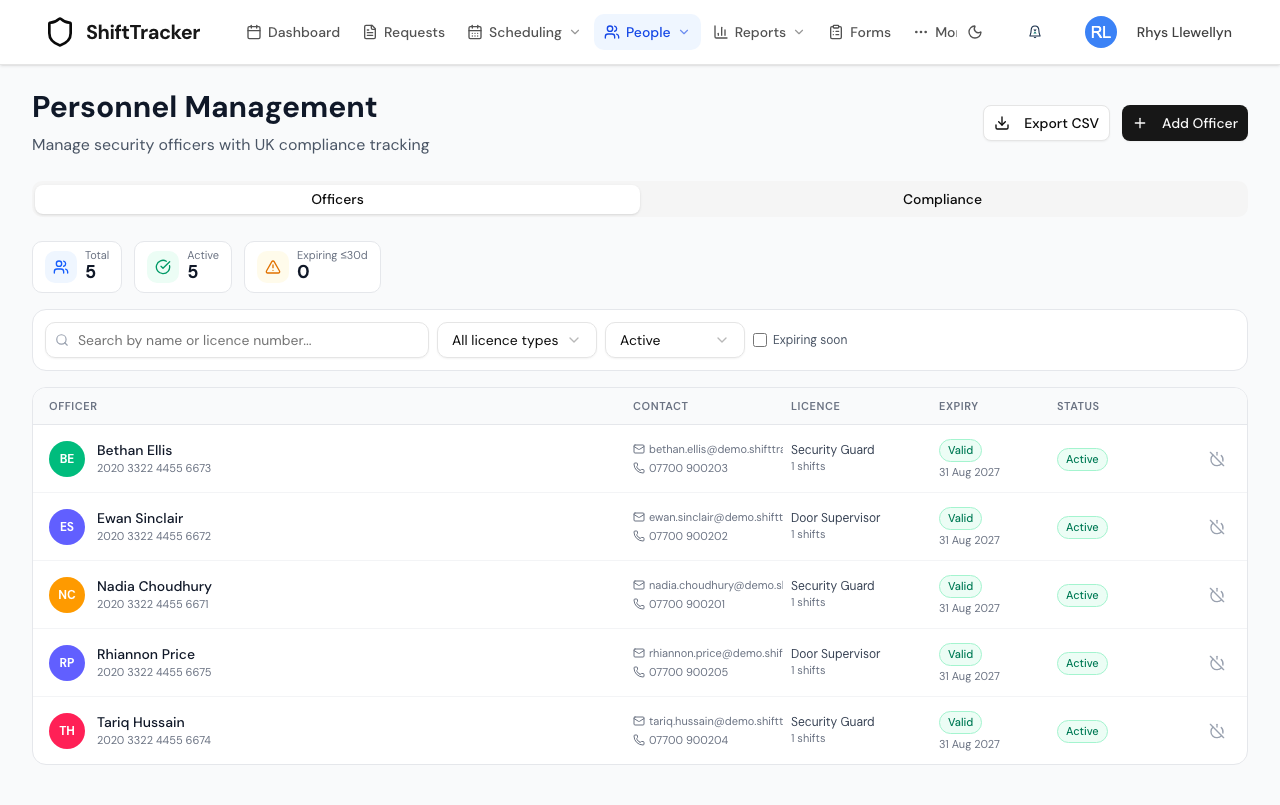
- Search by name or licence number; filter by licence type, status — Active, Deactivated or All statuses — or tick Expiring soon.
- Expiry reads Valid, Expiring within 30 days, or Expired.
- Click an officer for their profile. Export CSV downloads the list.
How do I add an officer?
- Press Add Officer.
- Under Basic Information, fill Full Name, Email Address and Phone Number. The email is required: The officer must verify this email (via their invitation) before they can be assigned to any shift.
- Choose the Role Type. A role that needs an SIA licence shows SIA Licence Information — Licence Type, Licence Number (16 digits, no spaces) and Licence Expiry Date, which cannot be in the past.
- Under Compliance Information, tick what the officer has declared: Right to work, First Aid certified and BS 7858 screening. These are declarations; the documents and the screening confirm them.
- Press Create Officer.
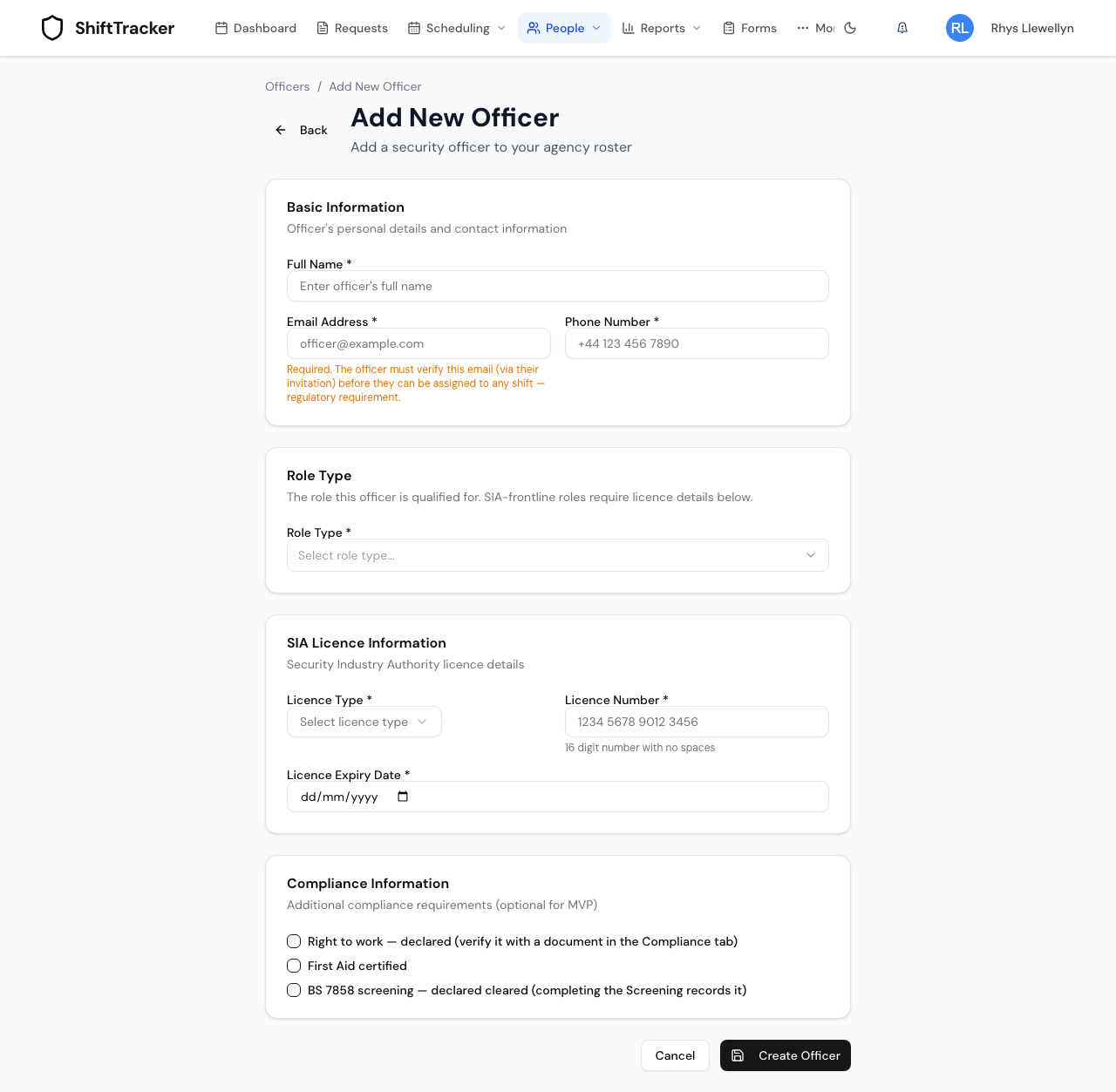
The officer is emailed an invitation to set up their login, valid for 7 days. They are also given a four-digit check-call PIN, unique in your agency.
Two officers cannot share a licence number — An officer with this licence number already exists.
How many officers can I have?
As many as you need. There is no officer limit. You pay for officers who work on your own client sites in a month, not for the officers you hold. See Subscription and billing.
What is on an officer's profile?
The header shows their status, licence, proposals and assignments, with Edit Officer and Send invite or Resend invite. Below it sits the Check-call PIN.
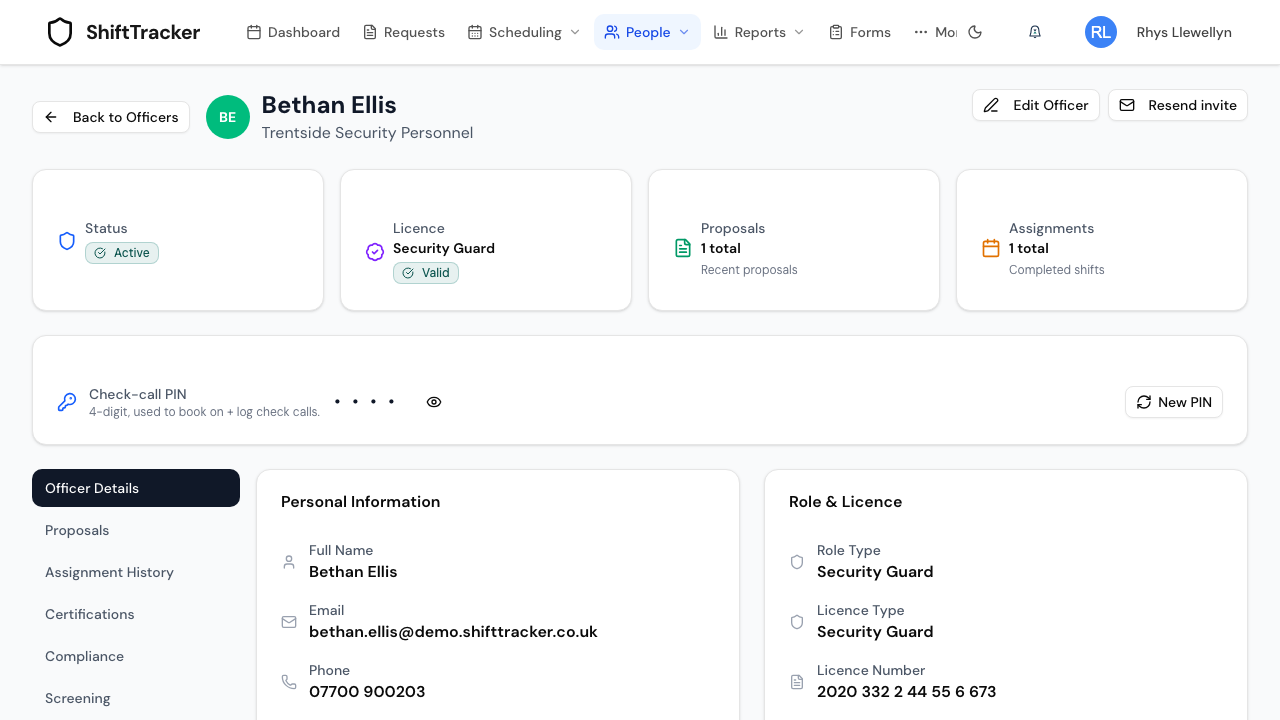
| Tab | Holds |
|---|---|
| Officer Details | Personal information, role and licence, and the compliance declarations |
| Proposals, Assignment History | Where they have been put forward and worked |
| Certifications | Their certifications |
| Compliance | Their documents — see Keep officers' compliance documents |
| Screening | BS 7858 vetting — see Screen officers to BS 7858 |
| Onboarding, Emergency, Medical | The onboarding checklist, emergency contacts and medical details |
How do I resend an officer's invitation?
Send invite or Resend invite on the profile — shown while the officer has an email but no working login. If the email cannot be sent, the profile shows the set-up link instead, so you can pass it on yourself. The officer cannot be proposed for a shift until they have accepted it.
How do I re-issue a PIN?
The Check-call PIN card shows the PIN masked; the eye button reveals it. New PIN issues another — Issue a new PIN for …? Their current PIN will stop working. Only your agency can see or change it.
How do I deactivate an officer?
- On the Officers list, press the power button on their row.
- Confirm Deactivate Officer — Deactivated officers are hidden from the default view and unavailable for new assignments. Their records are preserved and they can be reactivated at any time.
A deactivated officer can no longer sign in, and is refused for any new proposal. Deactivating cancels nothing already booked: a message lists the shifts they are still committed to, for you to reassign. To bring them back, choose Deactivated in the status filter and press the power button again.
Officers are never deleted.
Related
Last updated 2026-10-09