Workforce, data retention and white label settings
Three Settings screens not covered elsewhere. Workforce holds the departments, job titles and grades your employee records choose from. Data Retention decides how long photos attached to form submissions are kept at full quality, shrunk, and deleted. White Label, on the Enterprise plan, puts your name and logo on the app and on form submission PDFs. Each says who can change it, and what it does not do yet.
Who can change these?
| Screen | Who |
|---|---|
| Settings → Workforce | Admin, Manager |
| Settings → Data Retention | Admin |
| Settings → White Label | Admin, on the Professional plan |
The company details on Settings → General are covered in Account setup.
What is on Workforce?
Workforce — Manage grades, departments & job titles. These are the lists the employee form offers when you add or edit someone; see Manage employees.
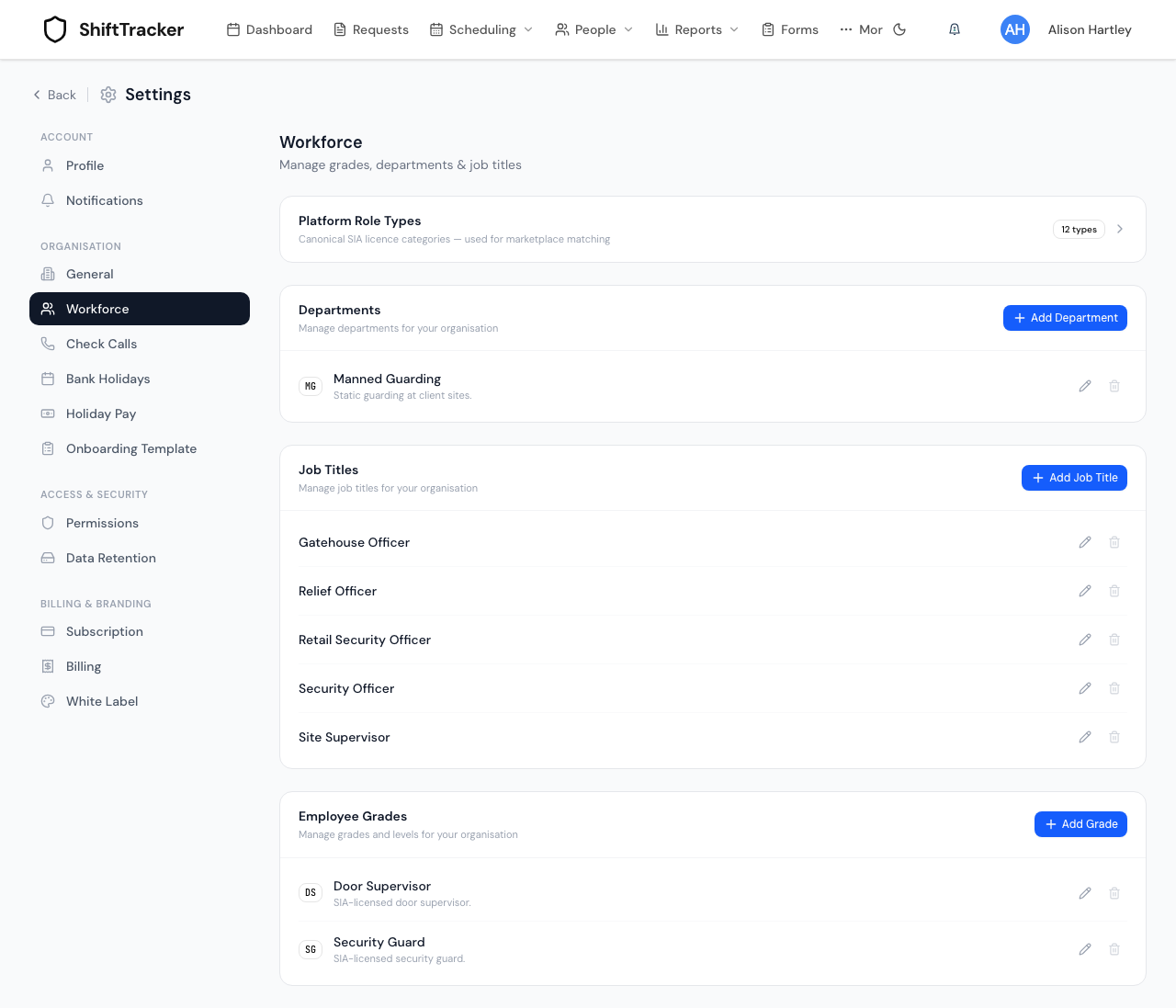
| Section | Each entry has |
|---|---|
| Departments | A Code and Name, both required, and a Description |
| Job Titles | A Title, required, and a Description |
| Employee Grades | A Code and Name, both required, a Description, an optional Role Type, and optional Required Certifications |
Platform Role Types opens to list the SIA licence categories ShiftTracker uses everywhere — These are platform-defined and cannot be edited. Linking a grade to one of them, under Role Type, says which licence that grade holds. None (custom grade) leaves it unlinked.
How do I add, change or remove an entry?
- Press Add Department, Add Job Title or Add Grade.
- Fill the fields and save. A code or title already in use in that list is refused.
- To change one, press its edit button. To remove one, press its bin button, then Delete.
Removing works differently in each list:
| List | What delete does |
|---|---|
| Departments, Job Titles | The entry disappears from the list and is no longer offered, but is kept behind the scenes — records that already use it keep it. It cannot be brought back; add a new one with the same code or title instead |
| Employee Grades | The grade is deleted outright. A grade any employee still has is refused — Employees still hold this grade. Move them to another grade first. |
What does Data Retention do?
It sets how long photos attached to form submissions are kept, and in what form. It does not touch employee or officer documents, check-call records, or anything else.
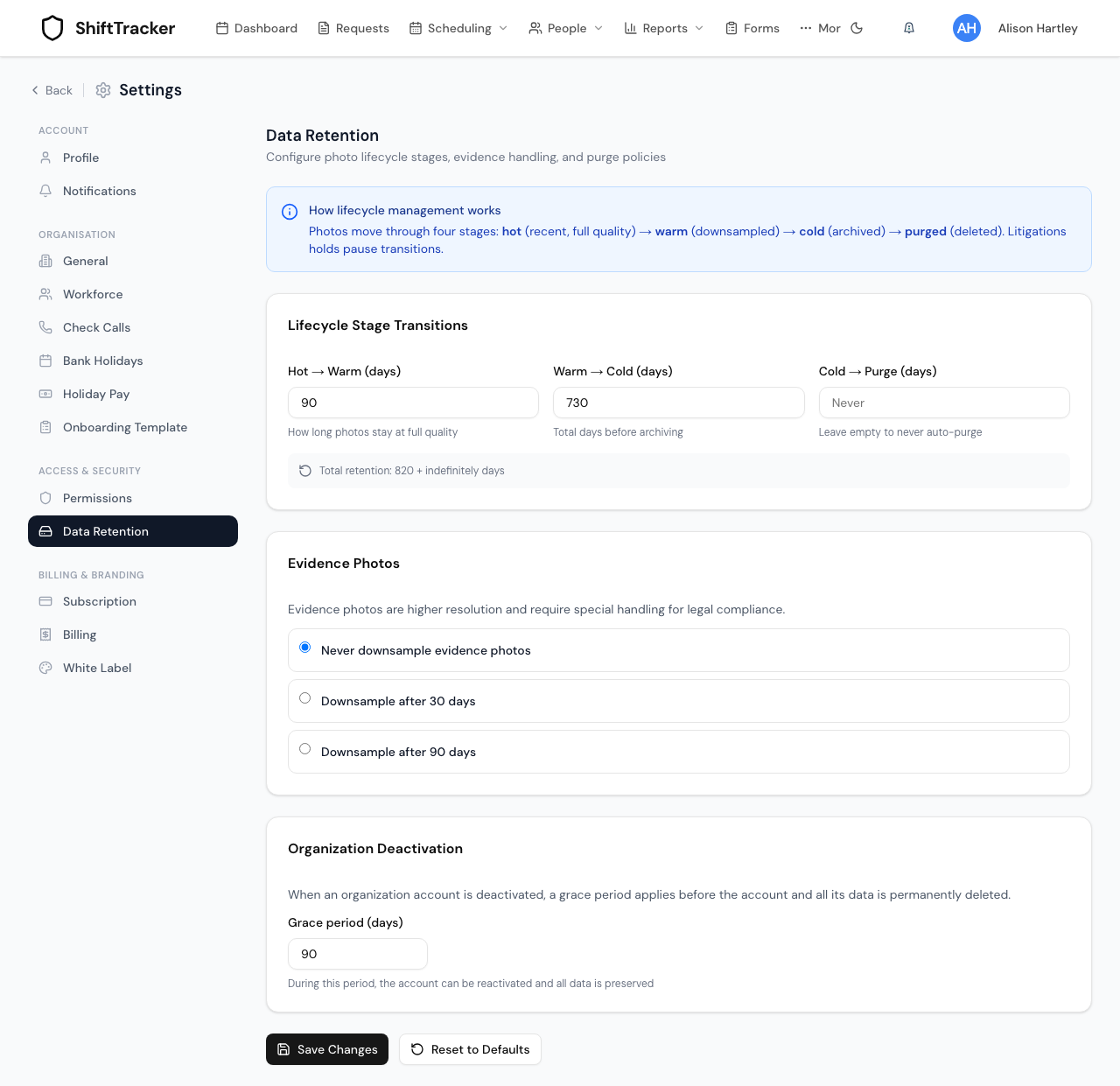
A background job runs every six hours and moves each photo on according to its age — counted from when the form was submitted:
| Setting | Default | After that many days |
|---|---|---|
| Hot → Warm (days) | 90 | The full-quality original is deleted; a smaller copy is kept |
| Warm → Cold (days) | 730 | The smaller copy is deleted too. Only the thumbnail is left |
| Cold → Purge (days) | empty — never | The thumbnail is deleted too |
All three are ages since submission, not added together. The Total retention line under them adds the first two, so it overstates how long photos are kept.
The screen calls the cold stage archived, but no archive copy is kept: once a photo reaches Warm → Cold, the picture itself is gone, even with Cold → Purge left at never. If you need photos kept at full size for longer, raise Hot → Warm and Warm → Cold, or keep evidence photos on Never downsample evidence photos.
Evidence Photos covers photos a form stores as evidence:
- Never downsample evidence photos — the default — keeps them at full quality. They are never archived or deleted, whatever the stages above say.
- Downsample after 30 days and Downsample after 90 days both make evidence photos follow the same stages as any other photo. The 30 and 90 are not used.
Organization Deactivation sets a grace period before a deactivated organisation's photos are deleted. Nothing in ShiftTracker deactivates an organisation today, so this setting has no effect yet.
The banner mentions litigation holds, which pause the stages for a photo. A photo on hold is marked Hold on its submission, but there is no button to place or lift a hold.
To change the settings, edit them and press Save Changes. Reset to Defaults puts the boxes back to the defaults; press Save Changes to keep that.
How long are check-call records kept?
Data Retention does not cover the check-call log: the check calls, book-ons and book-offs listed in a shift's check-call timeline. They are evidence of hours worked, which an employer must be able to show for six years (minimum wage, holiday pay and contract claims), so they are kept for 74 months — six years and two months — in every organisation, and then deleted. The GPS position recorded with each one is removed after 3 years, except on an emergency; the distance from the site and whether it was inside the geofence are kept for the whole 74 months.
A shift's own start and finish times, and its pay, are not affected. The check-call report and the compliance warrant cannot cover a period whose log has been deleted. None of this can be changed in Settings.
What does White Label change?
Without Professional, Settings → White Label shows Branding is a Professional feature and a Switch to Professional button, which opens Settings → Subscription. An organisation still on a previous price list keeps the branding it had until its account moves to the new one.
On Professional, it holds:
| Field | Where it shows |
|---|---|
| Application Name | The app header, and form submission PDFs |
| Organization Logo — JPEG, PNG, WebP or SVG, up to 5 MB | The app header, and the PDF letterhead |
| Header Display — Logo & Name, Logo only or Name only | The app header, and the PDF letterhead. Logo only needs a logo |
| Primary Color, Secondary Color, Company Name | Form submission PDFs |
| Support Email, Support Phone, Terms of Service URL, Privacy Policy URL, Footer Text | Form submission PDFs |
The colours do not restyle the app. Press Save App Settings; the header changes after you reload the page.
Related
Last updated 2026-10-12